My Top 2 Linux Distros, and Why


Over the last 4 years or so I have "distrohopped" around various Linux distros. Obviously this is a highly-opinionated topic, but I think I best represent the average user, in that I proritize modern aesthetics and ease-of-use. A lot of people recommend these distros, but I find that they seldom actually get into why they recommend them, and gloss over a lot of the important features. And God knows the distros themselves don't put it on their website. For some reason Linux distros all exclusively compare themselves to Windows, and never talk about why you should use them instead of any of the other 1 billion Linux distros. A whopping 0 of the features I'm going to list below are visible on the project's websites, which is just insane to me. I've only discovered this by just installing them and trying them out, so you, reader, if indeed you do exist, get to benefit from my pain.
Zorin OS

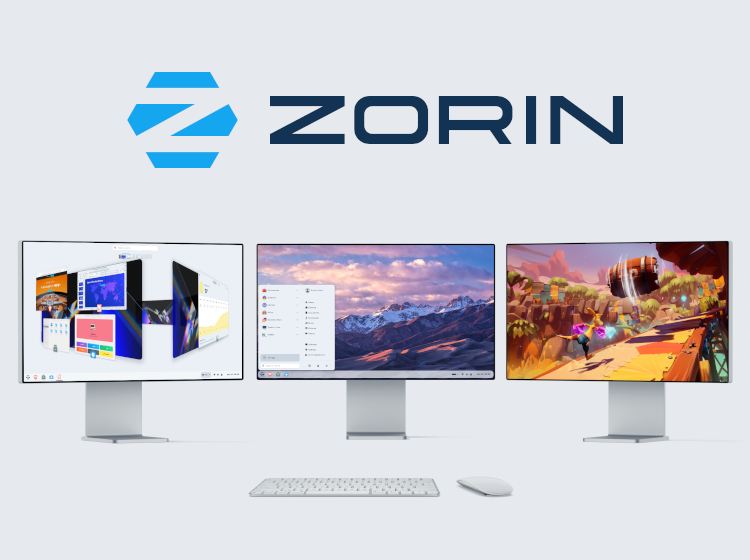
In my opinion, this is the best distro for "normal" users. Sometimes I collect old computers and give them away to people who I come across that need them. When I do this, this is the OS that I slap on them.
Aesthetics
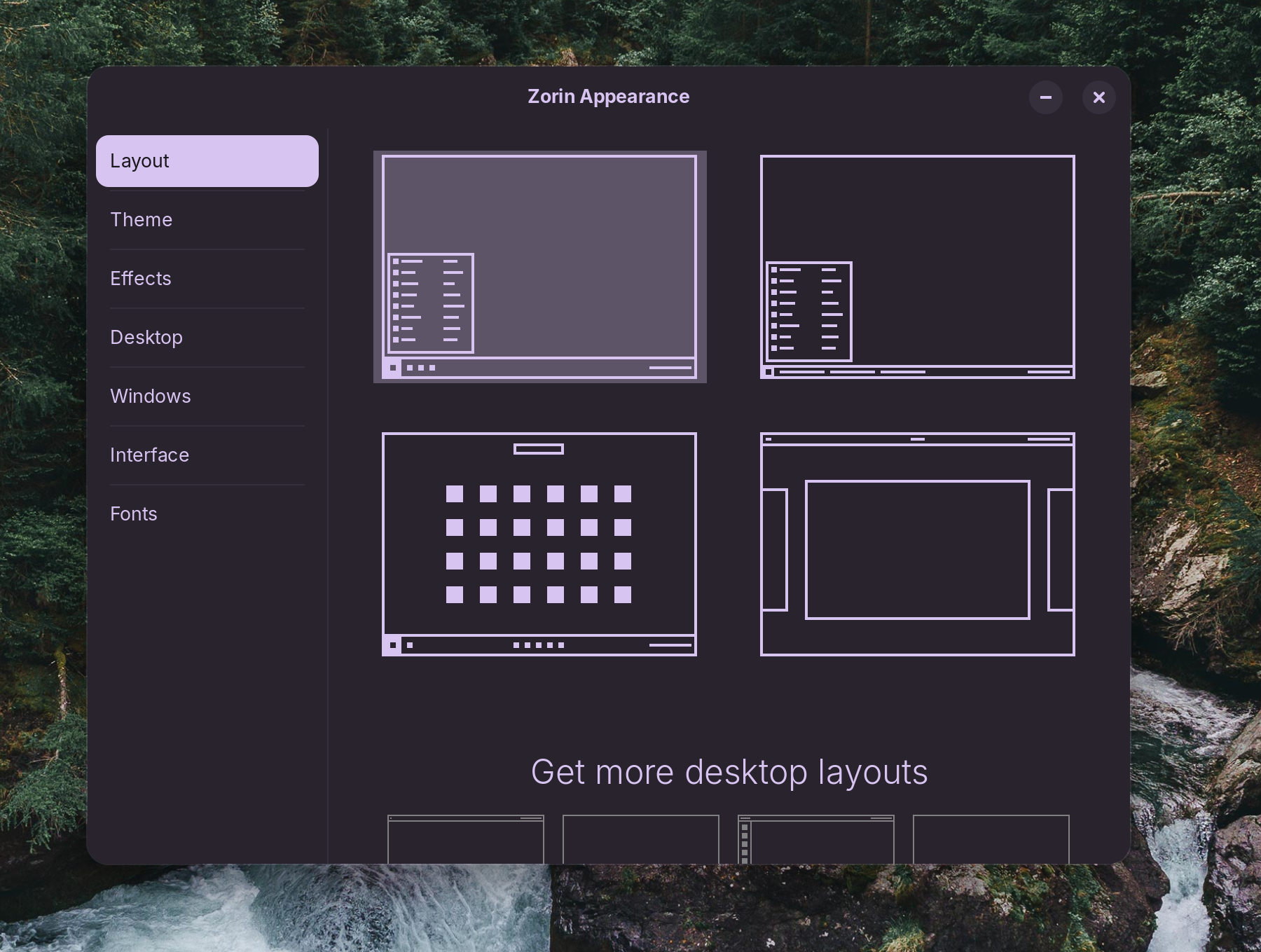
It uses a modified GNOME desktop environment, which can be easily changed to fit your layout preferences or familiarities with a single click.
Ubuntu Base
Zorin is based on Ubuntu, which is based on Debian, and between the 2 of them, are probably the most common Linux distros on the planet. That's important for a couple of reasons. First, if you come across a problem, it's highly likely that someone else has also come across that same problem, and it will be documented on one of the many many Linux/Debian-based forums to help you get it sorted.
If you can't find a solution in Zorin docs:


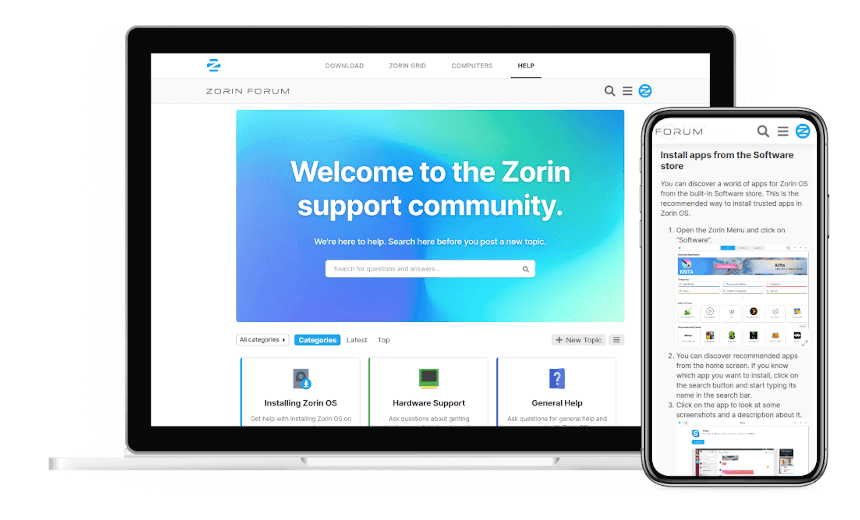
Or the Zorin forum:

There are tons of other communities that may also have an answer:



etc. etc.
And second, it means you have access to basically every Linux software imaginable, since you're able to use the .apt file format, which works with both Debian and Ubuntu-based distros, and is the most widely used, in addition to Flatpaks, Appimages, and even Snaps (if you must). With the exception of appimages, the rest can be easily installed from the default graphical package manager ("Software").
The installer
ZorinOS does 2 very important things as part of the installation process: Install updates, and install any needed firmware to drive your hardware, including Wifi/Bluetooth, webcams, audio, etc.
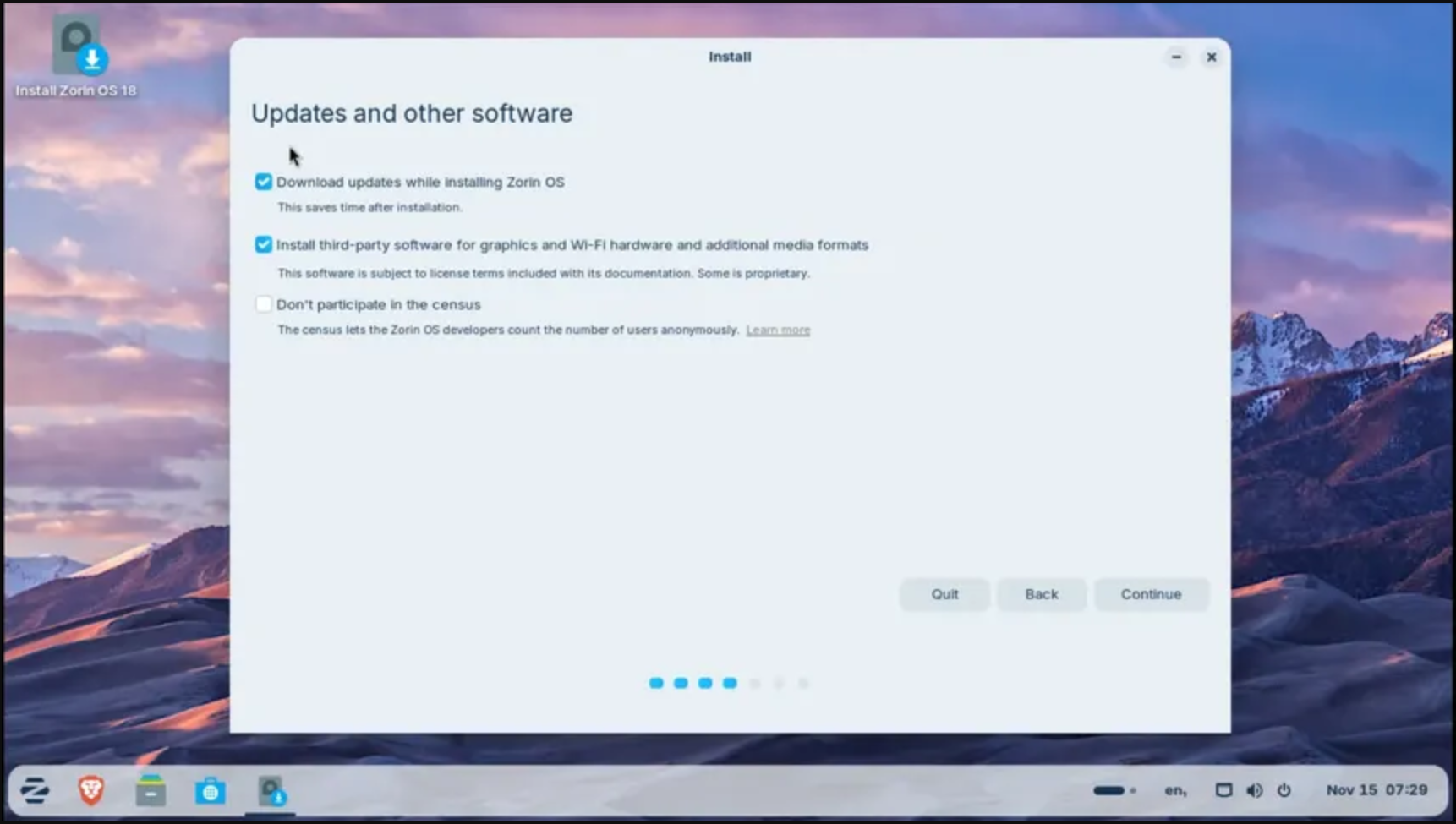
Believe it or not, most distros do not have either of these as part of the installation process. You're expected to somehow just know that they're needed, and go and find instructions and run them in the terminal that may or may not even work with your distro. Ask me how I know. Why this is not standard, I will never understand. Linux Mint has a firmware installer that it will prompt you to run as part of the welcome dialogue after installation but I feel like that's a huge disservice to their users. It should just run by default upon installation.
You'll find time and time again that without these, people will run into problems immediately after installing, which is just the worst scenario possible, as they're just instantly put off of even trying to continue using it when their hardware immediately does not work. There's one very famous "yes, do as I say" example from a prominent YouTuber trying Pop!_OS that could have been avoided completely by just running an update during the installation.
This also includes Nvidia graphics drivers. To be clear, you should do everything you can to avoid using Nvidia hardware with Linux, but if you already have it, you're going to need drivers for it, and this simplifies the process of installing those greatly.
Software installation recommendations
One thing I've seen is that some people using Linux for some reason don't understand that they can't run Windows apps. If you try to do this on any old Linux distro it will just provide you with a generic error. However, if you do this in Zorin, here is what happens:
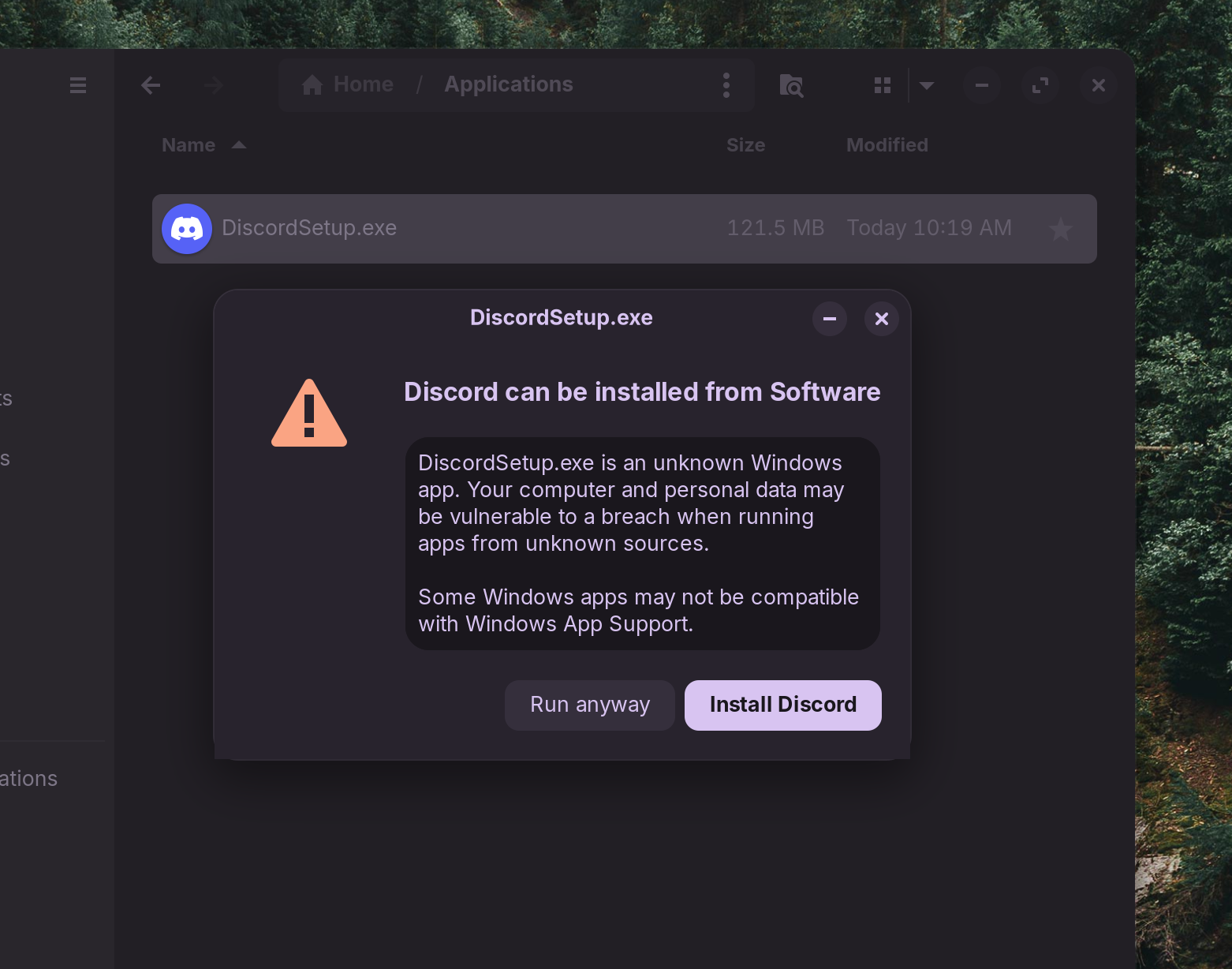
Zorin maintains a database of Windows apps and their Linux equivalents and alternatives. So when you try to run a Windows .exe or .msi file, 1 of 3 things will happen
- As seen in my example, you click "install Discord" and you're redirected to the Linux version of the same app in the Software store.
- You're redirected to a Linux alternative
- You "run anyway" and you're prompted to install the "Windows App Support".
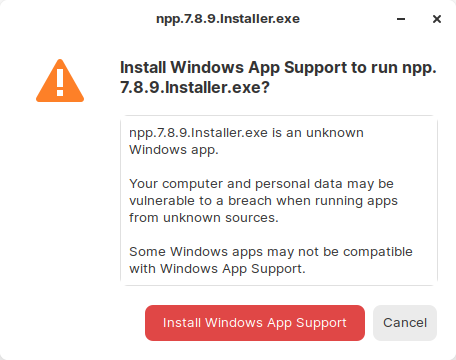
This software is not novel, by any means. It's just a graphical wrapper for WINE, a Windows translation layer. However, what is novel is that you can simply open your applications drawer, click a button, and install it. I can't overstate how important this is. Way too much shit in Linux requires running stuff in the terminal, which is a horrendous experience, and often simply does not work. If I have a minor criticism, it is that this should be installed automatically instead of having to go and run the program, since virtually everyone is probably going to need this. After installation, double-clicking .exe and .msi files, for the most part, just works. Now, a lot of Windows software won't work without further configuration, but a lot of it also will just open and run! Wow! Such easy!
Decrapified Brave browser as default
Virtually every Linux distro comes with Firefox preinstalled as the default browser, which is...fine (anything is better than Chrome or Edge). In many cases you can't even uninstall it, which is super annoying. Now this blog post is not going to be about comparing browsers, but I'll say all existing browsers have pros and cons, and Brave is by no means an exception, but it is my personal browser of choice, and Zorin goes in-depth to why it was theirs as well here:
 Zorin
Zorin
One of the drawbacks of Brave is that it comes with a bunch of annoying crap, but Brave browser in Zorin comes out of the box with all of that stuff disabled:
By introducing custom default settings, we’ve reduced the visibility of various optional features in Brave. These features include Brave News, Leo AI, Brave Rewards, sponsored background images, and Brave Wallet.
Ironically, Brave now charges $60 to remove these anti-features in it's new "Brave Origin", which I think counts as a tacit admission that they know nobody wants this. However, for now, you can just download and use it for free exclusively on Linux for some reason:


I mostly use Brave Browser for the plethora of privacy features. It has a built-in ad-blocker that has all the same features and lists as the ubiquitous uBlock Origin, but is more powerful, since it is built into the browser, and not subject to Google's new Manifest v3 protocols that weakened adblockers.
 Kevin Purdy
This adblocker engine is now even being adopted by Firefox:
 Sourav Rudra
And the open source Ladybird browser:
 Dwayne Cubbins
In particular it is the only browser I've ever used on EFF's "Cover Your Tracks" tester that returns a response of "your browser has a randomized fingerprint".


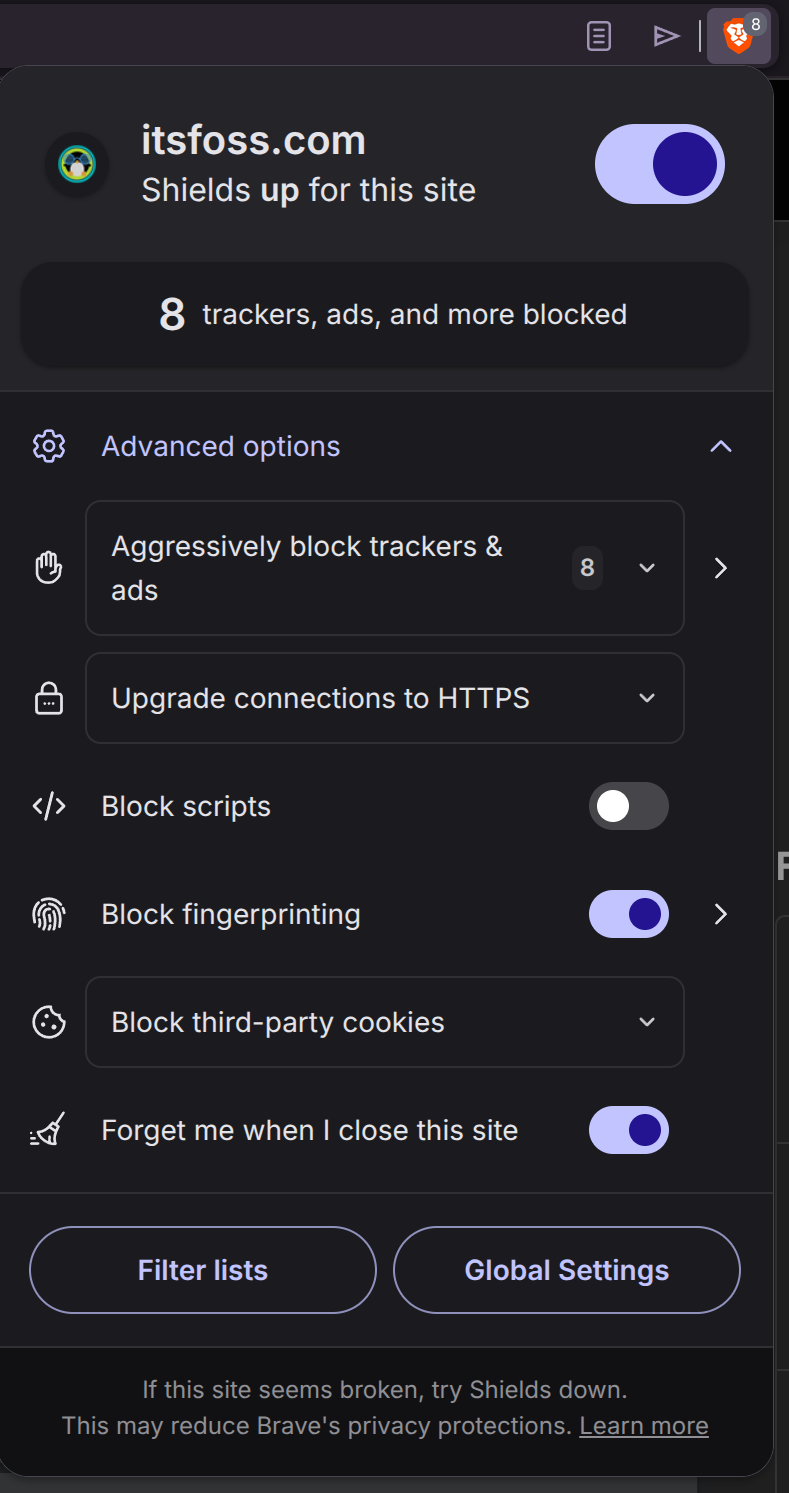
I can also easily configure privacy options on a per-site basis, easily, using the dropdown menu in the URL bar, so for some really good sites that I frequent that may be ad-supported, I may whitelist it on the ad-blocker. I globally opt out of cookies, and then can enable them on sites that I actually log into frequently. Other particularly malicious sites I absolutely need to visit for some reason, I might disable scripts from running.
In the future I look forward to seeing what comes of truly independent community-created browsers like Servo and Ladybird, but until then...
Feel free to tell me how and why I'm wrong, on the Fediverse
Zorin Pro

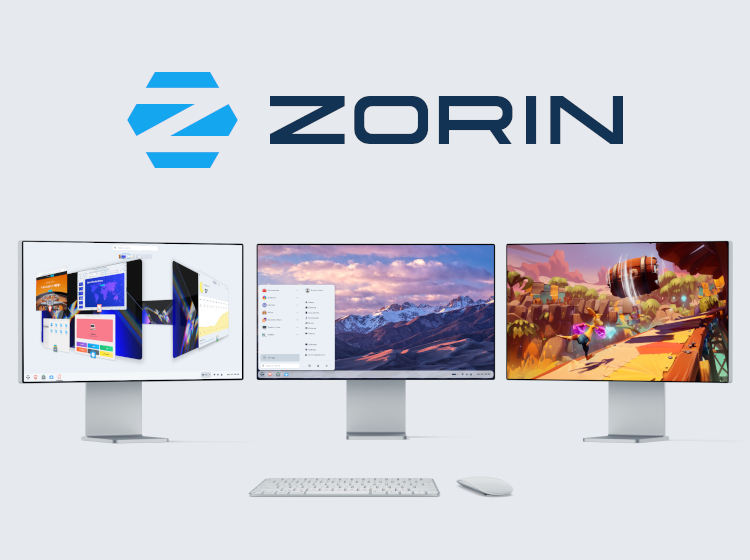
I just want to add a note here about Zorin Pro. I do not recommend buying this. You do not get anything special, other than a few other desktop layouts that I don't personally like, and a bunch of software preinstalled that you probably don't want, filling up your storage space, that if you wanted you could just go and download from the Store for free.
But by all means, please support one of the best Linux distros with a donation:
Bazzite
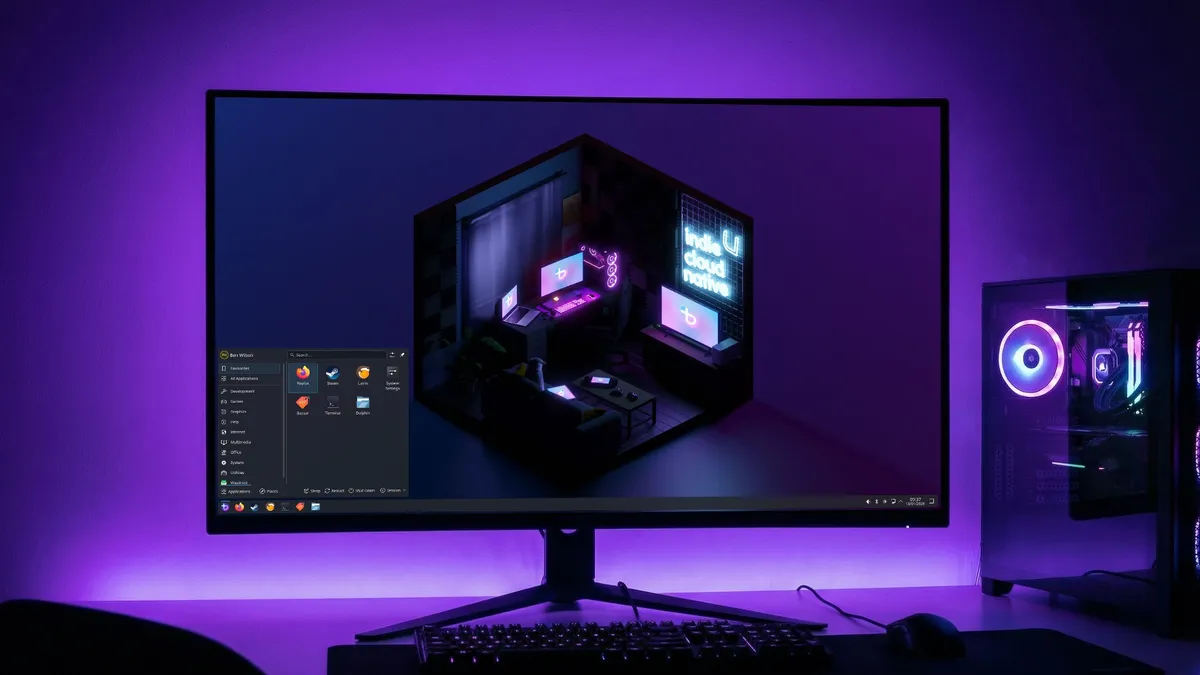
Bazzite enjoys more critical acclaim from it's perspective as a "gaming distro", and in particular for handheld devices like the Steam Deck, but I think it also makes an excellent general use desktop distro. Personally I run Zorin on my laptop and Bazzite on my desktop. Unlike other "handheld" distros from Cachy and Nobara that automatically default to the KDE...DE, Bazzite also gives you the choice of GNOME for your desktop environment.
"Gaming distro"?
Other than optionally including SteamOS's "Game Mode", Bazzite comes out of the box with Steam, Lutris, Proton, and (optionally) proprietary Nvidia drivers. It includes kernel tweaks, improved CPU schedulers, and better frame pacing. That's pretty much it, I think?
Hardware support
Bazzite came along shortly after SteamOS, as part of Fedora's "Universal Blue" project. SteamOS at the time could be installed on basically nothing but Steam hardware. You could try, but it would not work. Bazzite gave you all the same features as SteamOS, but could be installed on all the normal x86 hardware as other Linux distros.
There were other "SteamOS-like" distros that predated it such as HoloOS and ChimeraOS, but neither of those enjoyed the same level of polish and commitment, and thus never the same level of attention.
 Scott McCarty
Gamescope
Bazzite offers Steam's "gamescope" (AKA "Game Mode"), as an alternative to SteamOS, which just enjoys much much less hardware support. I think this is a deeply undersold feature as well, as it is more than just Steam's Big Picture Mode, as many seem to think. It is a graphical compositor. Basically a "desktop environment" like GNOME or KDE (although it is run in tandem with those DEs, like SteamOS), but specifically catered to couch gaming, with lots of graphical optimizations. Although, most importantly, it blocks any other software from interfering with your gaming experience. Many times gaming on desktop, I get annoying pop-up notifications, or some other Window steals the focus and appears on top of my gaming (ironically it is often Steam itself). The Steam client is also just not well-supported, as they exclusively distribute a .deb, which is really weird considering SteamOS itself is Arch-based, and other distros have to modify and distribute that package. But Steam does seem to do a lot of weird things, like not updating the SteamOS download page for years and years, even years after releasing the Steam Deck.
There are a bunch of in-game menus and tweaks, which all can be made without ever leaving the game. And, much like a console, you can navigate the entire thing with a controller. Although entering text will require either a keyboard or the trackpads found in the Steam Deck, or on the Steam controller.
Immutability
This is often simultaneously cited as the biggest pro and con. To put it very simply, this means the OS partition is not modifiable by the user. Any changes are temporary and will be reset upon restarting. It also means if there is some problem with the system partition that occurs during an upgrade, you can simply roll back to a previous version and reboot. Cool! If you are an advanced user, this may not be for you, since you'll be denied some privileges, but again, we're discussing "normie" users here.
Automatic upgrades
 nicknamenamenick
Upgrades are an annoying necessity. Bazzite solves this annoyance by updating packages in the background seamlessly and automatically, without even so much as a notification. And it's not just the OS, system packages (apps) are upgraded at the same time, whether from Flatpak, Homebrew, or files installed in containers using BoxBuddy. While an advanced user may not want or may not be prepared for an upgrade, most normal users do not care and just want to be left alone. Updates are only run when the system detects it is not under heavy use. These upgrades are then applied after the next reboot.
ujust
 nicknamenamenick
This is the coolest feature of Bazzite. I maintain, as I said above, that required use of the terminal is Linux's biggest problem, and while ujust doesn't completely solve that problem, it does simplify it enormously.
Opening the terminal and typing in ujust returns a list that looks like this:
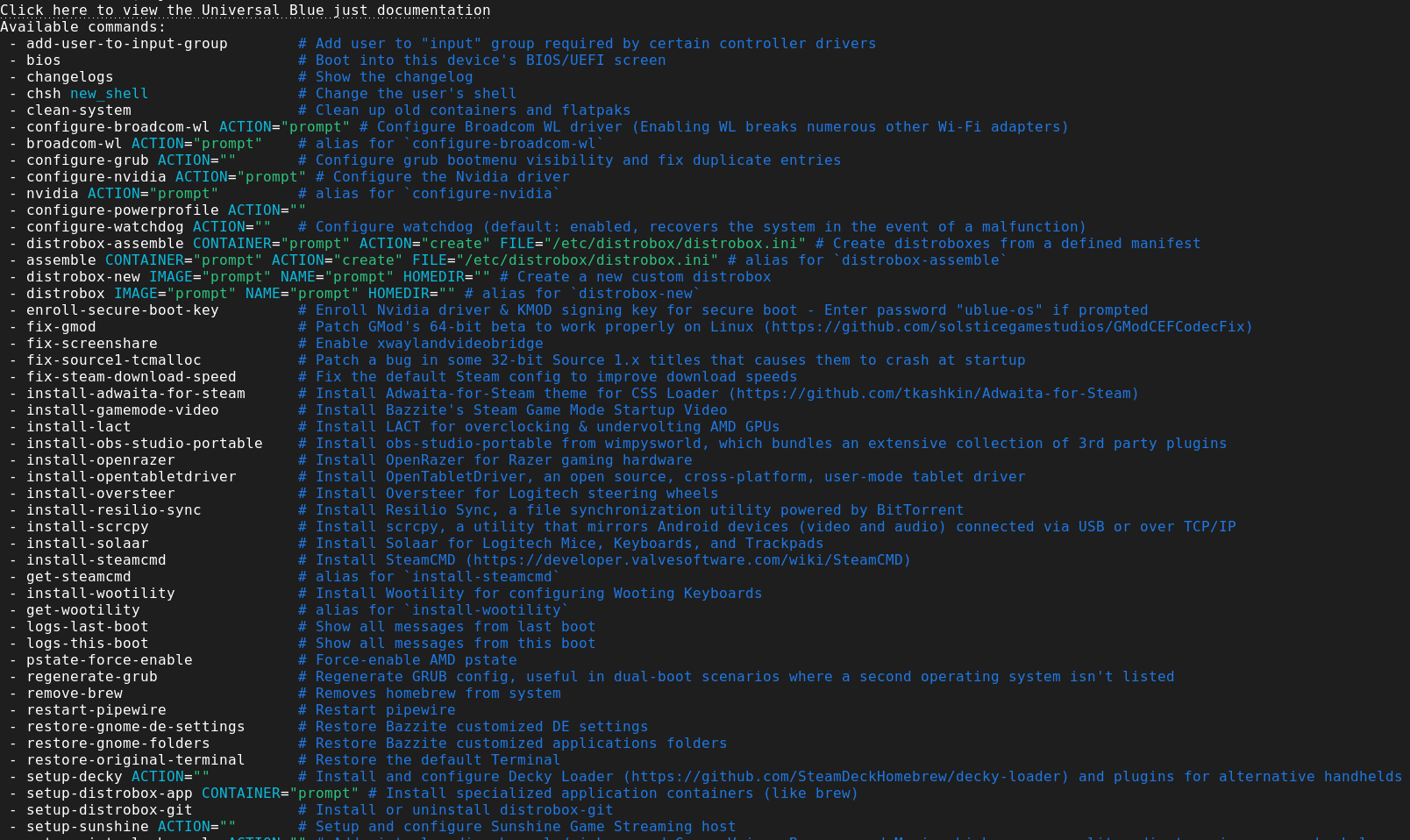
It's a list of single commands to run scripts that achieve tasks that are otherwise much more complicated, and they just work, every time. Some notable examples:
ujust configure-waydroid configures waydroid (an Android emulator) with a single command, which is an otherwise tedious process.
ujust-setup-decky installs Decky Loader with a single command.
ujust-install-resolve installs Davinci Resolve, with a single command. This is an otherwise-very-challenging process on Linux substantially simplified.
I used ujust crh (custom resolution helper) to create a permanent display profile in the settings to run my 5120x1440 monitor at 3440x1440 instead, in Game Mode, because honestly 5120 is too wide, and my health bars and maps get pushed outside my FOV otherwise. This is also great for streaming. So if I want to stream games to my 4k TV, I also created a 3840x2160@60FPS profile that's always active and I just have to select it. And it's incredibly easy to do.
I also had it connected to my TV directly for a while and used ujust toggle-cec-sleep to enable CEC with a single command.
I could go on, but feel free to look over the image above, it's just a fraction of the total available commands.